Frequently people ask me how to move their photos from the SD card to their hard drive. Variations include “how to copy photos from memory stick to computer”, “how to move photos from CF card to hard drive”, etc. The basic idea is taking the photos off the camera’s card and putting them on the computer’s hard drive.
Step 1: Plug your card into the computer using a card reader or the slot in your computer. SUGGESTION: Buy a card reader that plugs into your computer. Different cameras use different cards. A card reader might have five slots for different types of cards. These gadgets are always handy to have.
Step 2: Once your card is plugged into your computer you’ll get an icon that looks like this on your desktop.
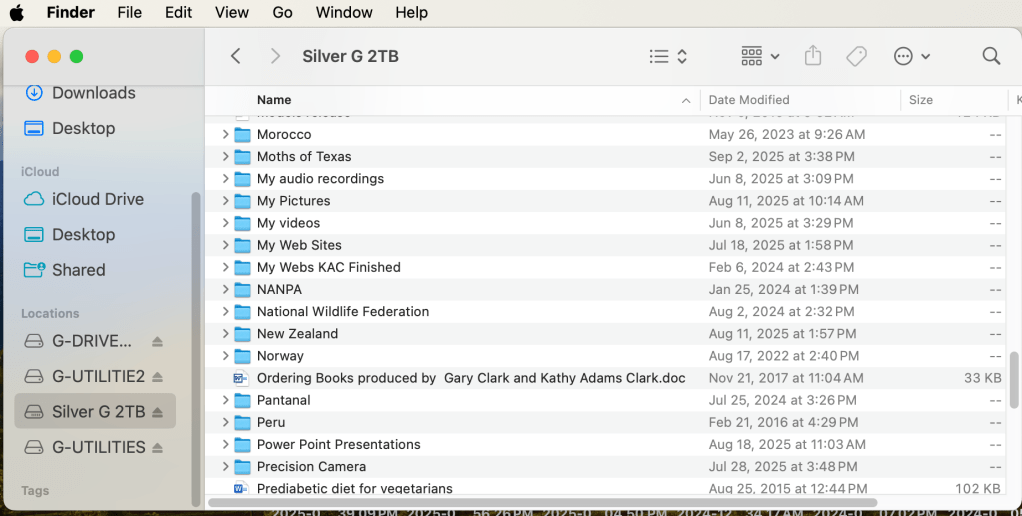
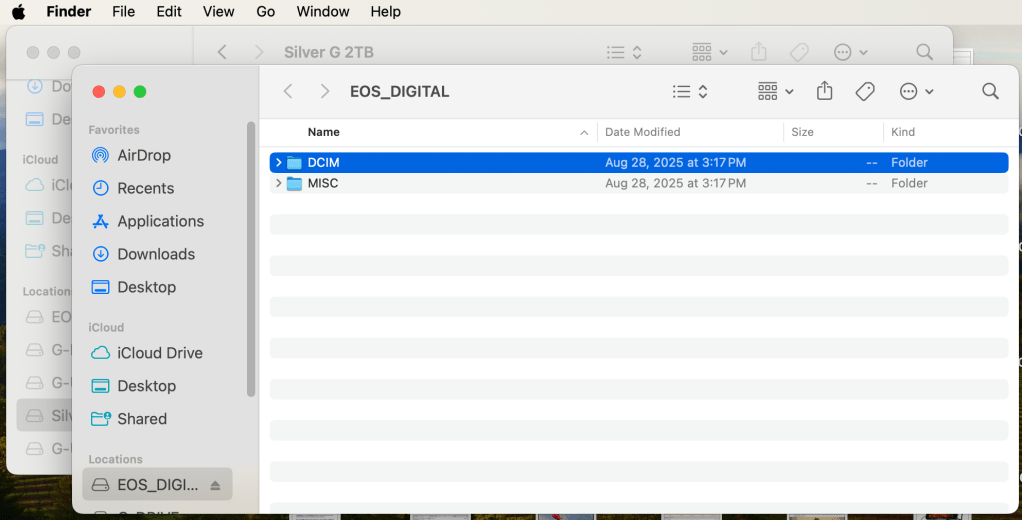
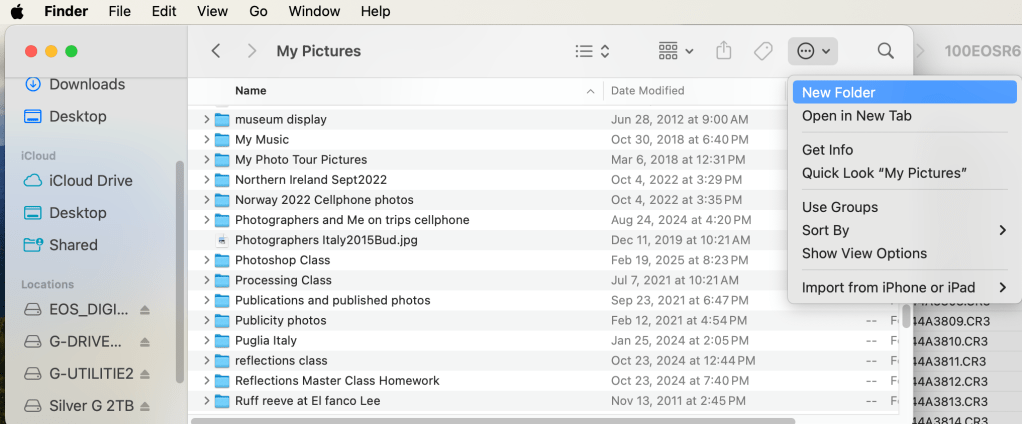
Open a Finder window. Click on the Hard Drive destination for the photos. I have a folder called “My Picture” on my Hard Drive. That’s where I put all my pictures.Open a second Finder window. (Right click on Finder and select “New Finder Window”.) Double click on the EOS_Digital and you’ll see a DCIM folder. Nikon, Sony, Fuji, Olympus will call the card something else but everyone has a DCIM folder. Double click on the DCIM folder to open it. Double click on the folder containing your photos. In the example above, Canon calls the folder 100EOSR6. You’ll see your photos. The example above is in List view. Notice the date I took the photo is under Date Modified. A correct date and time in your camera will give the correct information here. Select the photos you’d like to move or copy. They will be highlighted in blue. (Note shown here)Click on your first Finder window. (Click up by the words My Pictures to do this.) Click the icon show above and select New Folder. We’re going to make a new folder for your photos. Name the folder something that makes sense to you. Use the date, location, subject, etc. Once you’ve made the folder, double click to open it.
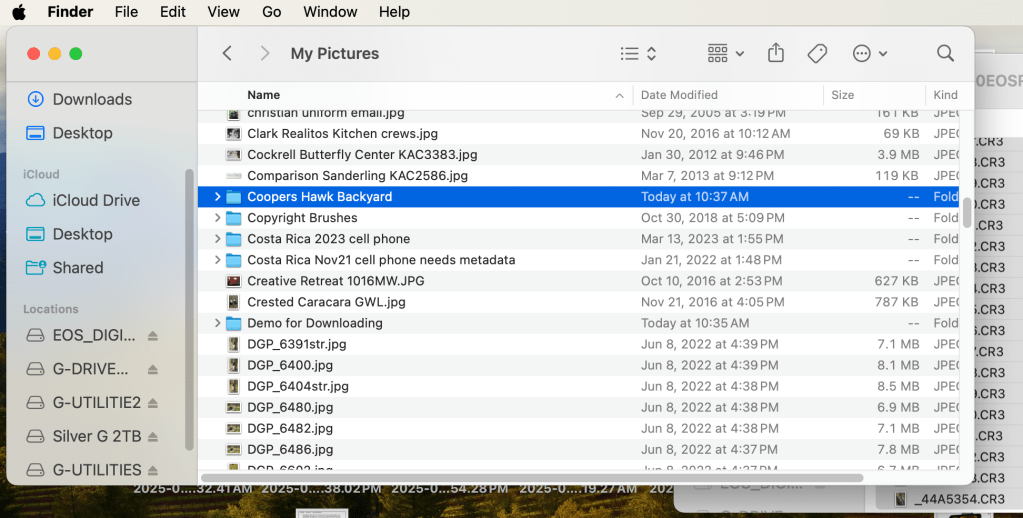
Click on the folder you made for the photos. With the folder open, click on the second Finder window. The photos you selected earlier will turn blue. Click and drag the photos into the new folder. If click and drag is hard for you, use copy and paste. Those are found in the Edit menu at the top left.
I hope this helps. Post any questions below. Yes, I know there are other ways to do this. This blog illustrates my method.
“All things must pass None of life’s strings can last So I must be on my way And face another day” George Harrison
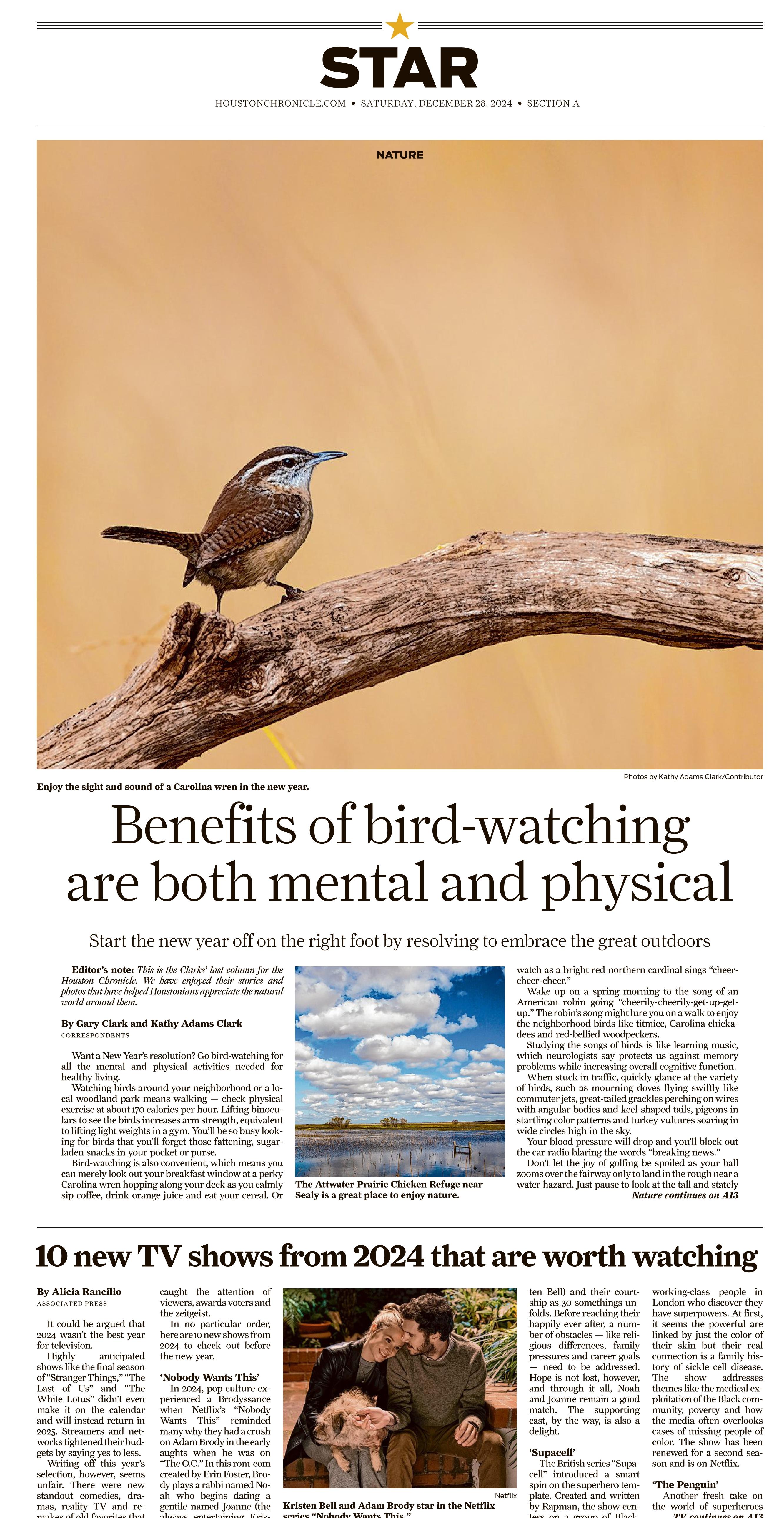
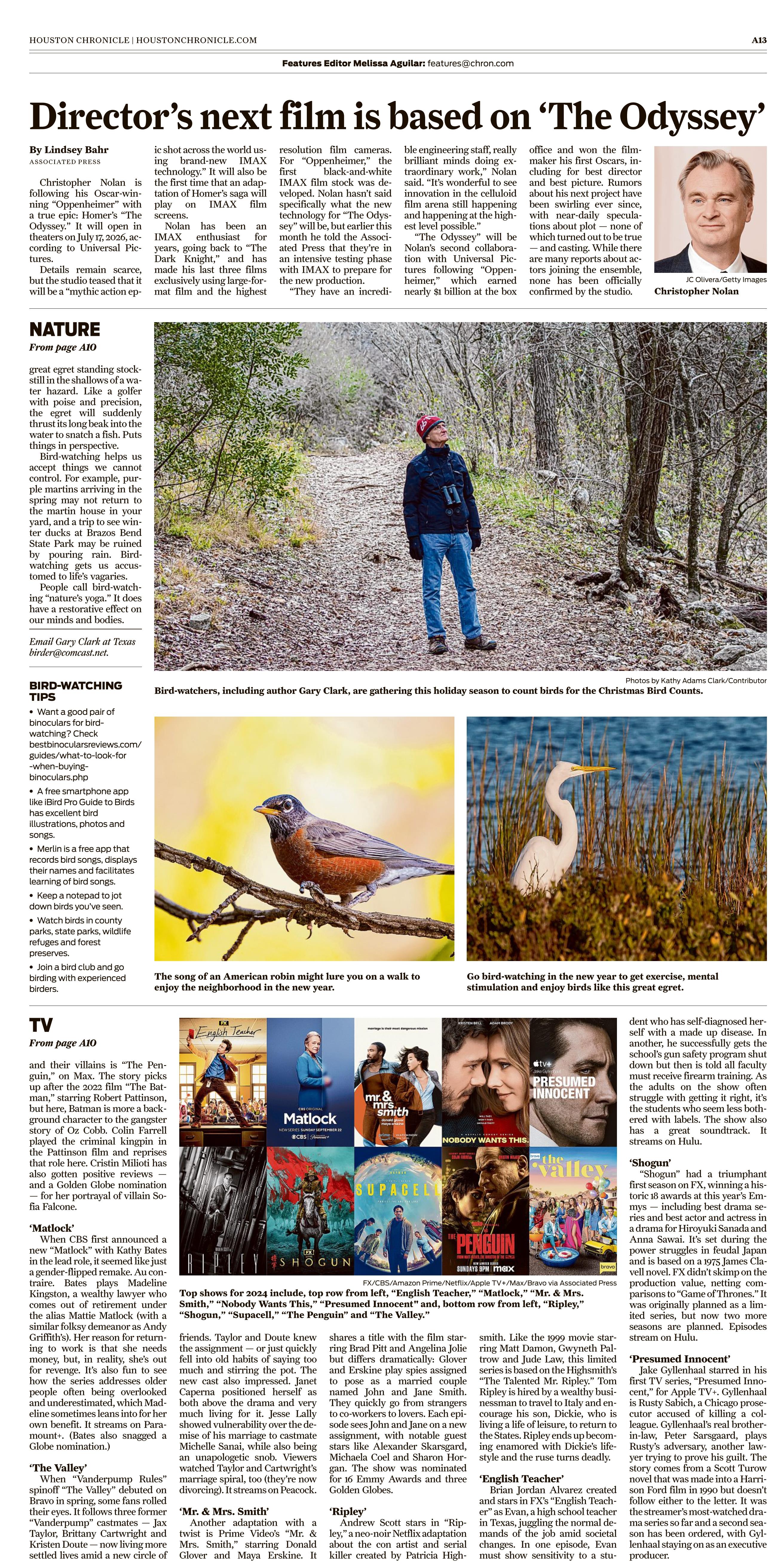
This morning, December 28, 2024, we saw our last Nature column in the Houston Chronicle.
The Nature column has been a major part of our lives for the past 25 years. Gary Clark wrote his lovely stories about backyard birds, rare birds, and birds in far away lands. He wrote about squirrels, rabbits, coyotes, alligators, frogs and so much more. Each column was a blend of art, literature, science, and history. Readers were often treated to a splash of the Bible and occasionally a bit of chess. Gary’s columns we not simply about nature. They were about life around us.
I tried to keep up by illustrating Gary’s column with my photos. The first column on April 1, 1999 was illustrated with scanned slides of John and Gloria Tveten, our predecessors. The photo editor at that time asked if I could not only scan the slides but could I upload them with a new software called FTP. The Chronicle was moving into the digital world and I learned everything I needed to keep up in a week.
We were still using film in 1999. If Gary wanted to write about a rare bird then I had to get a photo worthy of publication and hope/pray that the slide would be good. My local photo processor needed 48 hours to process slides back then so there was a lot of waiting and hoping.
When Gary interviewed someone famous like David Sibley, Sid Dunkle, or Chandler Robinson, I had to hope the photos came out. Same with a rare bird or unusual behavior.
I embraced digital cameras when the photos reached 8MB or publication quality. My first Nikon F100 and then Canon D10 were game changers for me and all those photographing for newspapers. If a photo did come out, it was my fault, and luckily I could reshoot the subject.
I’m proud to say that Gary never missed a weekly deadline. He always submitted a column despite surgeries, bike accidents, and weather delays. During Hurricane Ike, he wrote the column in a Starbucks that had an internet connection. He wrote from his hospital bed after a major bike accident. After hand surgery, he learned how to use voice activated typing. I remember one time when he dictated the column to someone at the Chronicle from a payphone in the desert. Yep, payphone, shorthand, and dictation skills came in handy to get the column in on time.
But writing a weekly column for a major big city newspaper has come to an end. Thanks to our editors Melissa Aguilar, Jody Schmal, and photo editor Jill Karnicki. Along the way, we’ve worked with Betty Luman, Molly Glentzer, Diane Cowen, Elizabeth Pudwill, and Catherine McIntosh plus others whose names escape me at the moment.
Thanks to all of you for being loyal readers. Gary and I will miss your comments and questions. Thanks, too, to everyone who gave us a quote, agreed to be interviewed, welcomed us to your yard for a rare bird, or shared your adventures with us.
Thanks, finally, to the editors at the Houston Chronicle. We wrote a nature column for 25 years. The Tvetens wrote their nature column for 24 years. That is nearly 50 years of bringing nature to readers. Way to go!
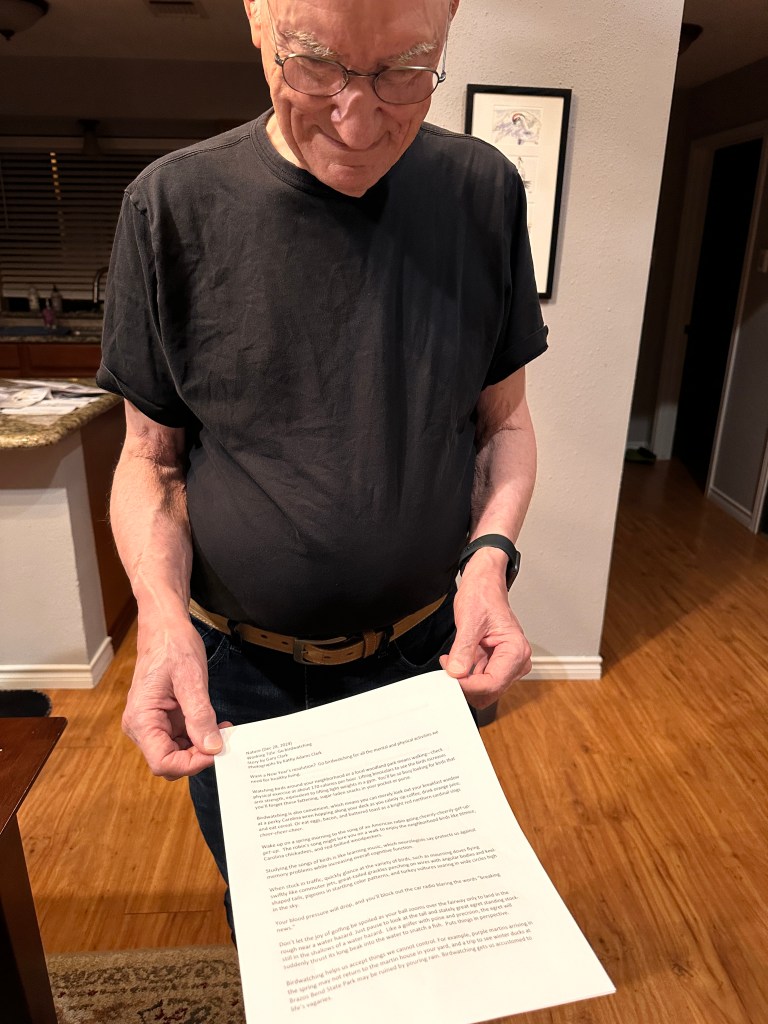
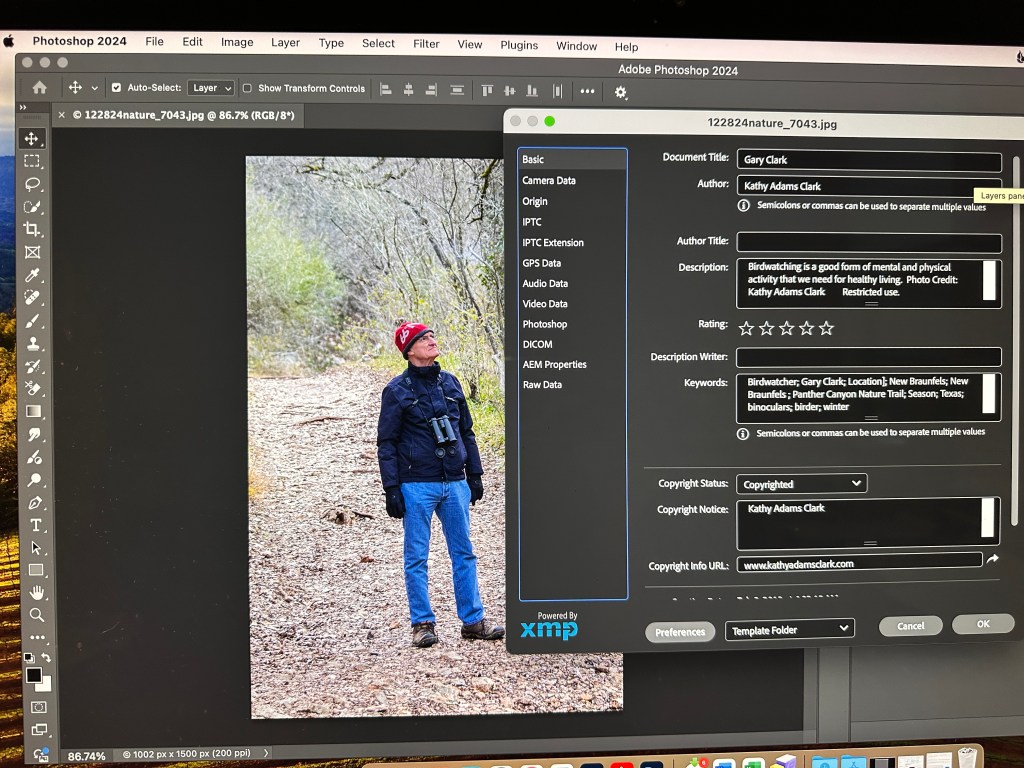
Left: Gary’s last column before upload. Right: My last photo preparing to go.






 Kathy Adams Clark