I’m working through the thousands of photos I took in Spain during my recent photo tour to Andalusia and Barcelona.
Buildings were our most common subject. Often it was hard to get right in front of the building. Many times we were shooting straight up when we really needed to be higher like on the second floor of the building across the street.
The Transform tool in Adobe Camera Raw or Lightroom is really coming in handy.
Take a look at this before and after:
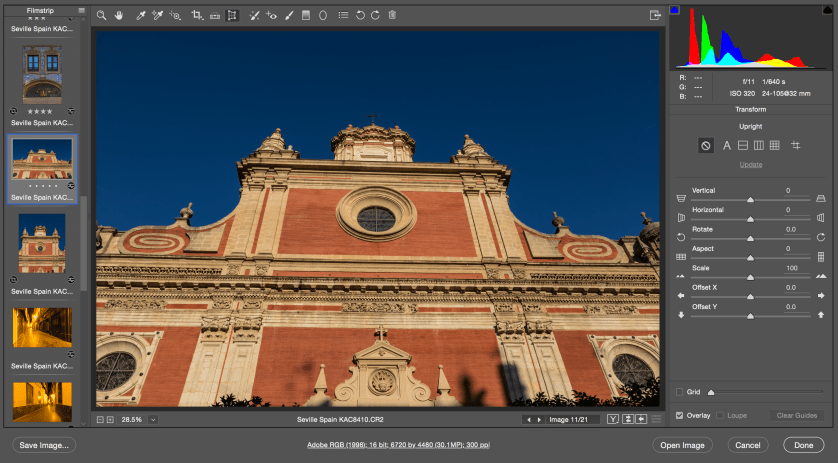
Here’s the original photo Iglesia del Salvador. It’s a lovely church in the Seville’s Santa Cruz neighborhood near the hotel where we stayed. I included a lot of sky and a lot the building because I knew I’d use the Transform tool in processing.
The Transform tool is activated in the photo above and ready to go.
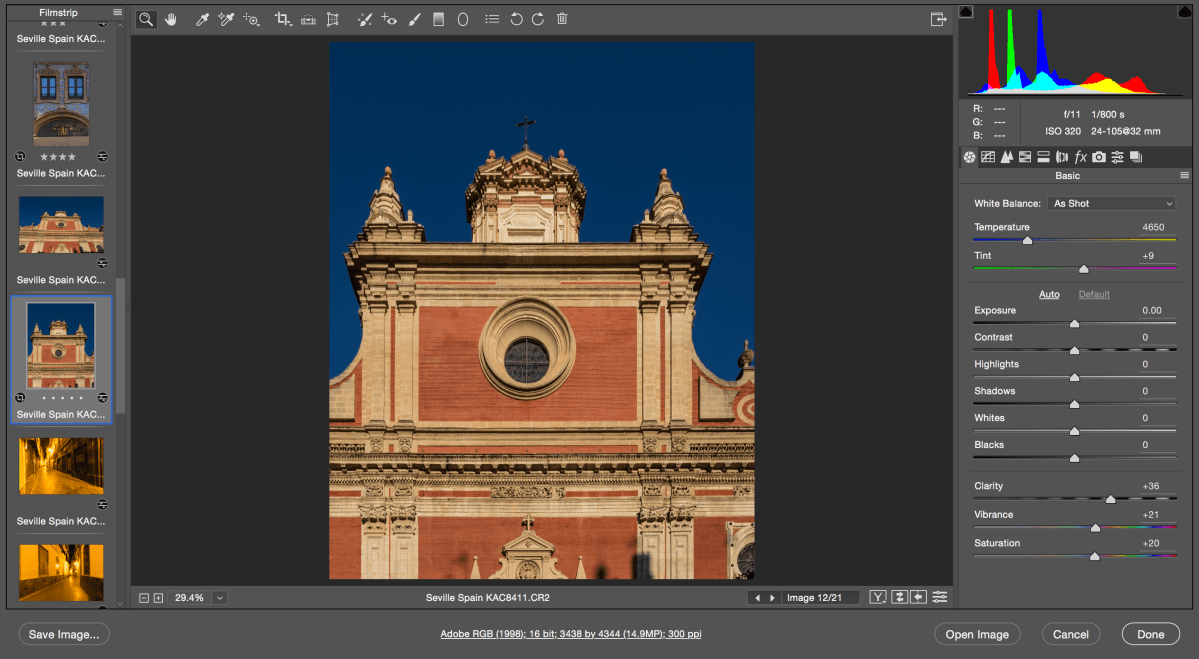
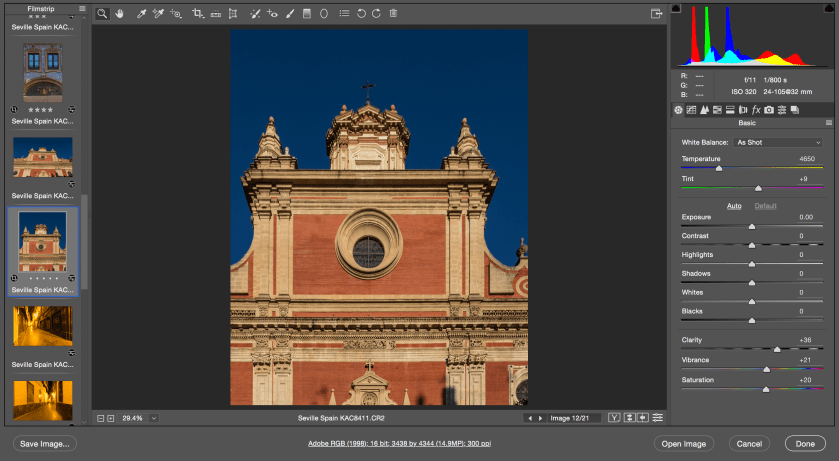
Here’s the finished photo. I put a vertical Transform guide on the left and right white column. Then I put a horizontal Transform guide on the two main horizontal lines. I finished with a bit of vertical tweaking with the slider to bring the building a bit more upright.
Transform tool to the rescue.
Have you used the Transform tool? Does it work well for you?
Professional photographer leading workshops and tours. I use Canon cameras but I'm familiar with all the other brands. Love photography birds and nature. Love talking about photography and gear.
View all posts by kathyadamsclark
One thought on “Transform Tool on Travel Photos”
Yes, I use the Transform Tool often, especially for transforming architecture in a subtle manner … I think it’s great!


 Kathy Adams Clark
Yes, I use the Transform Tool often, especially for transforming architecture in a subtle manner … I think it’s great!
LikeLike